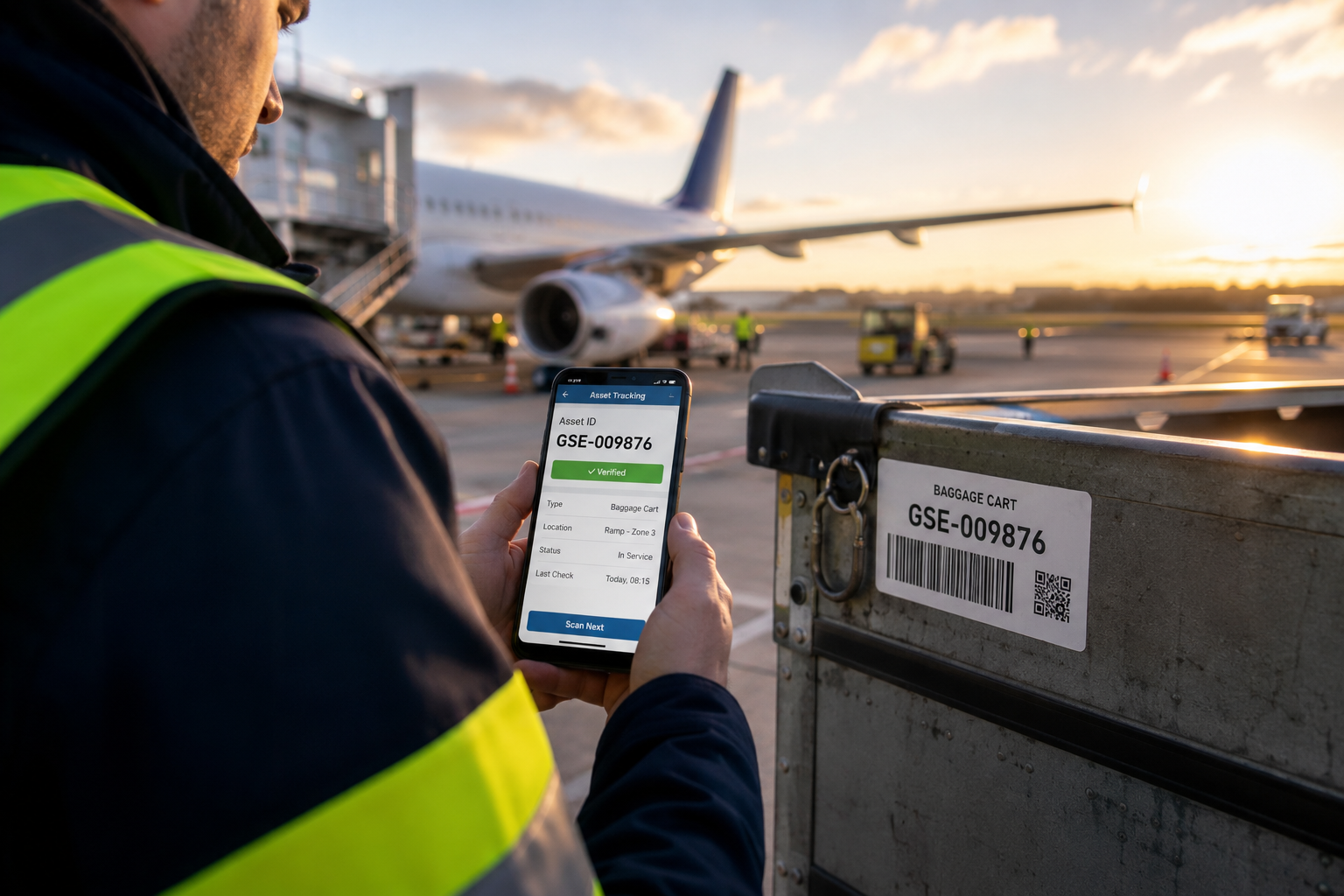
Modern airports operate one of the most complex asset environments of any industry. Ground support equipment, baggage handling systems, IT infrastructure, maintenance tools, engineering equipment, security devices, office assets and thousands of other items are distributed across terminals, warehouses, workshops, technical rooms and restricted operational areas.
As the number of assets grows, maintaining accurate records becomes increasingly difficult. Equipment changes locations, responsibility shifts between departments, new assets are commissioned while obsolete ones are retired, and regular physical inventories require significant time and resources. Even small discrepancies may result in unnecessary purchases, delayed maintenance, compliance issues or reduced operational efficiency.
Airport Asset Tracking provides a centralized system for managing, locating and verifying airport assets throughout their entire lifecycle. Using barcode or QR code identification together with Android mobile devices, inventory teams can perform fast and accurate asset verification directly in the field while management receives real-time visibility into inventory progress and asset status.
Whether an airport manages 5,000 assets or several hundred thousand, a structured digital asset inventory system transforms inventory from a labor-intensive administrative exercise into a continuous operational process supported by accurate data and complete audit history.
Why Airports Need a Dedicated Asset Tracking System
Airports differ significantly from ordinary commercial facilities. Assets are spread across geographically separated buildings, restricted airside zones, technical infrastructure, maintenance facilities and administrative offices. Multiple departments may use similar equipment while operating under different procedures and security requirements.
Traditional spreadsheets or paper-based inventories rarely provide sufficient control in such environments. Manual processes become slower as the asset database grows, increasing the probability of human error, duplicate records and outdated location information.
A professional airport asset tracking solution establishes a single, reliable source of information for every registered asset while standardizing inventory procedures across the organization.
- Know exactly where every registered asset is located.
- Track departmental responsibility for each item.
- Reduce time required for physical inventories.
- Improve inventory accuracy.
- Maintain complete verification history.
- Support internal and external audits.
- Reduce unnecessary asset replacement.
- Improve operational planning.
Typical Assets Managed at an Airport
An enterprise asset management platform can be used for virtually every category of airport property that requires identification, verification or accountability.
| Asset Category | Examples |
|---|---|
| Ground Support Equipment | Baggage carts, tow bars, GPU units, maintenance vehicles, loading equipment |
| Engineering Assets | Pumps, compressors, generators, HVAC equipment, electrical systems |
| IT Infrastructure | Servers, workstations, network devices, printers, handheld terminals |
| Security Equipment | CCTV devices, scanners, access control systems, communication equipment |
| Maintenance Tools | Calibration equipment, specialized tools, diagnostic instruments |
| Office Assets | Furniture, computers, monitors and administrative equipment |
| Warehouse Inventory | Operational equipment requiring periodic verification |
The same platform supports different asset categories without requiring separate inventory procedures for each department.
Common Challenges in Airport Asset Management
Many airports encounter similar operational difficulties as their infrastructure expands.
Limited Visibility
Departments often maintain their own records, making it difficult to determine the current location or responsible owner of an asset.
Lengthy Inventory Cycles
Manual verification requires significant administrative effort, especially when thousands of assets are distributed across multiple facilities.
Location Changes
Equipment is regularly moved between terminals, workshops, warehouses and operational areas. Without continuous updates, asset registers quickly become outdated.
Responsibility Tracking
Changes in departmental ownership or employee assignments are difficult to document consistently using manual processes.
Audit Preparation
Financial audits, internal inspections and regulatory reviews require accurate documentation proving the existence and status of registered assets.
How Airport Asset Tracking Works
Each registered asset receives a unique identifier, typically represented by a barcode or QR code attached directly to the equipment. During inventory, authorized personnel use the mobile application to scan the code and immediately retrieve the corresponding asset record.
Instead of manually searching spreadsheets or paper lists, employees can instantly verify:
- asset identification number;
- asset description;
- current location;
- assigned department;
- responsible employee;
- asset category;
- inventory status;
- last verification date.
If required permissions are available, users may also update location, assign a new responsible person, record comments or report discrepancies directly during inspection.
Mobile Inventory Using Android Devices
Mobile inventory dramatically improves efficiency compared to traditional inventory methods. Instead of carrying printed asset lists or entering identification numbers manually, employees perform verification directly from Android smartphones or industrial mobile terminals equipped with cameras.
A typical inventory workflow consists of only a few simple steps:
- Select the assigned inventory task.
- Scan the barcode or QR code.
- Verify the displayed asset information.
- Confirm physical presence.
- Update location or responsibility if changes are detected.
- Continue to the next asset.
This approach minimizes typing, reduces transcription errors and significantly accelerates inventory execution across large facilities.
Designed for Secure Airport Networks
Many airports operate highly protected IT environments where direct Internet access is restricted or completely unavailable. Asset management software must therefore support deployment entirely within the organization’s own infrastructure.
An on-premise implementation allows the complete solution—including the application server, database and user authentication—to remain inside the airport’s secure network perimeter.
Depending on internal security policies, communication between Android devices and the application server may be encrypted using HTTPS with certificates issued by the organization’s internal certification authority. This architecture enables secure communication while maintaining compliance with internal cybersecurity standards.
Because all data remains under the airport’s control, organizations can implement their own backup strategies, access policies and network segmentation without relying on external cloud services.
Inventory Planning Instead of Reactive Counting
Modern inventory management is more than simply scanning asset labels once a year. A structured system enables organizations to plan inventory activities according to operational priorities and available resources.
Inventory projects can be organized by:
- terminal;
- building;
- technical area;
- warehouse;
- department;
- asset category;
- cost center;
- responsible employee;
- scheduled inventory period.
Managers gain complete visibility into planned activities, completed tasks and outstanding work without relying on manual progress reports.